
From Pixels to Production: How AI Bridges the Gap Between Design Files and Real Code
Turning a design into a working interface sounds straightforward: receive a design file, write the frontend code, and deliver the feature.
In reality, the coding part is rarely the biggest challenge. The difficult work happens before implementation begins. Developers need to understand which existing components fit the design, which properties should be applied, how interactions should behave, what accessibility requirements matter, and which design tokens belong in each situation.
Usually, this requires digging through documentation, checking previous examples, and coordinating with designers to make sure nothing important is missed. The process often becomes repetitive, and confidence only appears after multiple rounds of review.

To improve this workflow, we explored how AI could help transform design concepts into production-quality interfaces. The goal was not simply generating code, but creating a system that understands the rules behind the design and applies them correctly.
Our first experiment was simple: give an AI model access to a design file and ask it to create the interface.
The initial results looked promising. The generated UI resembled the original design, and the application appeared functional. But deeper inspection revealed major problems.
The generated implementation often ignored the existing component library. Styles were manually written instead of using shared tokens. Colors and spacing values were copied directly. Typography rules were bypassed. Accessibility behavior was incomplete.
The issue was not that AI could not produce code. The issue was that it lacked knowledge about the product’s design language.
Without understanding available components, allowed variations, design rules, and accessibility expectations, the model had to make assumptions. Those assumptions created code that required significant cleanup afterward.
The process had not really improved. Developers still needed to rebuild the output into something that matched the system.
This revealed an important lesson: AI does not need more instructions. It needs better access to structured knowledge.
Making design systems understandable for AI
A design system contains much more than reusable buttons and colors. It represents years of decisions about consistency, usability, accessibility, and implementation patterns.
For humans, this knowledge is often spread across documentation, code, and team experience.
For AI to use it effectively, that knowledge needs to become available in a format machines can understand.
We approached this by creating a structured connection between the AI workflow and the design system.
Instead of giving the model a collection of written guidelines, we provided access to reliable information about:
Available components
Supported properties
Design tokens
Usage patterns
Accessibility requirements
Implementation rules
This information came directly from existing sources such as component definitions, type information, configuration files, and design tokens.
The advantage was that the system did not create a second version of the truth. The AI worked from the same foundations developers already used.
However, providing information alone was not enough. The model also needed a way to decide what information mattered and when.
Why an agent-based approach was necessary
Converting a design into code is not one action. It is a sequence of connected decisions.
The system needs to understand structure, identify components, resolve styles, interpret layouts, consider accessibility, and prepare implementation details.
Because of this complexity, we moved toward an agent workflow.
Instead of asking AI to solve everything at once, the process was divided into smaller steps. Each step had a clear responsibility, making the reasoning easier to manage and the results more reliable.
The workflow connects naturally with developer tools. From the developer’s perspective, the experience remains simple: provide the design reference, start the process, and receive implementation guidance.
Behind the scenes, the agent coordinates multiple sources of information and builds a complete picture of the interface.
How the workflow operates
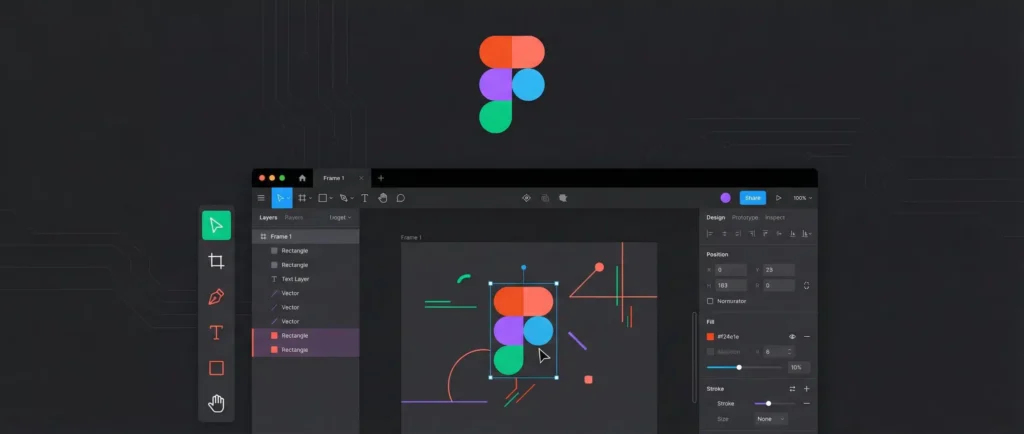
The process begins by analyzing the original design information.
The system examines layout structures, text content, spacing relationships, and visual properties. It identifies areas where localization may be needed and determines how the interface should be structured using layout rules.
Raw visual values are translated into meaningful design tokens instead of remaining as isolated numbers.
Next, the system identifies which parts of the interface match existing components and which parts require custom solutions.
For existing components, it determines the correct variants and properties. For custom elements, it plans implementation approaches that still follow the design language instead of creating inconsistent one-off code.
The workflow also considers hidden requirements that are easy to overlook during manual development.
Accessibility behavior is analyzed, including keyboard interactions, semantic structure, and screen reader expectations.
Usage examples and established patterns help the AI avoid creating solutions that only look correct but fail in real-world situations.
After all information is collected, the system produces a structured implementation plan containing the necessary decisions:
Component choices
Layout approach
Token usage
Localization structure
Accessibility considerations
Code organization guidance
The final result is a complete context package that another coding model can use to generate implementation-ready code.
Why the system focuses on context instead of automatic code output
A key decision was avoiding direct code generation as the main responsibility of the agent.
Large products often contain many different applications, frameworks, and technical environments. A single generated coding style would not work everywhere.
Instead, the agent provides deep understanding of the design and technical requirements while leaving final code generation to the environment where the code will live.
This keeps ownership with the development team.
The AI provides intelligence and structure, while engineers maintain control over implementation.
The difference in the final result
A basic AI-generated interface may look correct visually, but the real challenge is whether the implementation follows the product’s standards.
The improved workflow changes what happens underneath:
Components are chosen intentionally.
Tokens are applied correctly.
Accessibility is considered from the beginning.
Design decisions translate into maintainable code.
The developer experience remains familiar. The difference is that the generated result comes with a much stronger understanding of the system behind the interface.
What this changes for teams
The biggest impact is not just faster development. It is reducing the amount of repetitive translation work between design and engineering.
Developers spend less time searching for the right component or correcting avoidable mistakes.
Design discussions become more productive because reviews focus on meaningful improvements rather than fixing basic inconsistencies.
Accessibility, consistency, and system alignment become part of the first implementation instead of tasks added later.
AI does not replace the design or engineering process. Its real value comes from connecting the two sides more effectively.
The future of design-to-code is not about creating code faster. It is about creating code that already understands why it should be written that way.